
The Collibra connector now supports domain asset nodes for precise folder mapping, and automatic relationship direction resolution.
Please read our Ellie–Collibra Integration Guide for the comprehensive guide. If you're new to the connector, we've previously covered the Extension to Logical Level, Glossary synchronization and Conceptual Model sync.
Ellie and Collibra serve different but complementary purposes. Ellie is where your team models data collaboratively. Collibra is where it gets governed.
The Ellie–Collibra integration is about keeping data consistent across both platforms. With domain asset nodes, it now goes a step further; the folder hierarchy you build in Ellie gets a direct counterpart in Collibra. Synced entities and models are linked to their corresponding node there, so both systems share not just the same data, but the same structure.
We now allow to configure a domain asset node for each folder mapping. It will be created in Collibra as a node in the target domain and connected with the assets synced. When pulling from Collibra, only assets linked to that node come into the corresponding Ellie folder. This also makes it possible to map multiple Ellie folders to a single Collibra domain, each scoped to its own node.
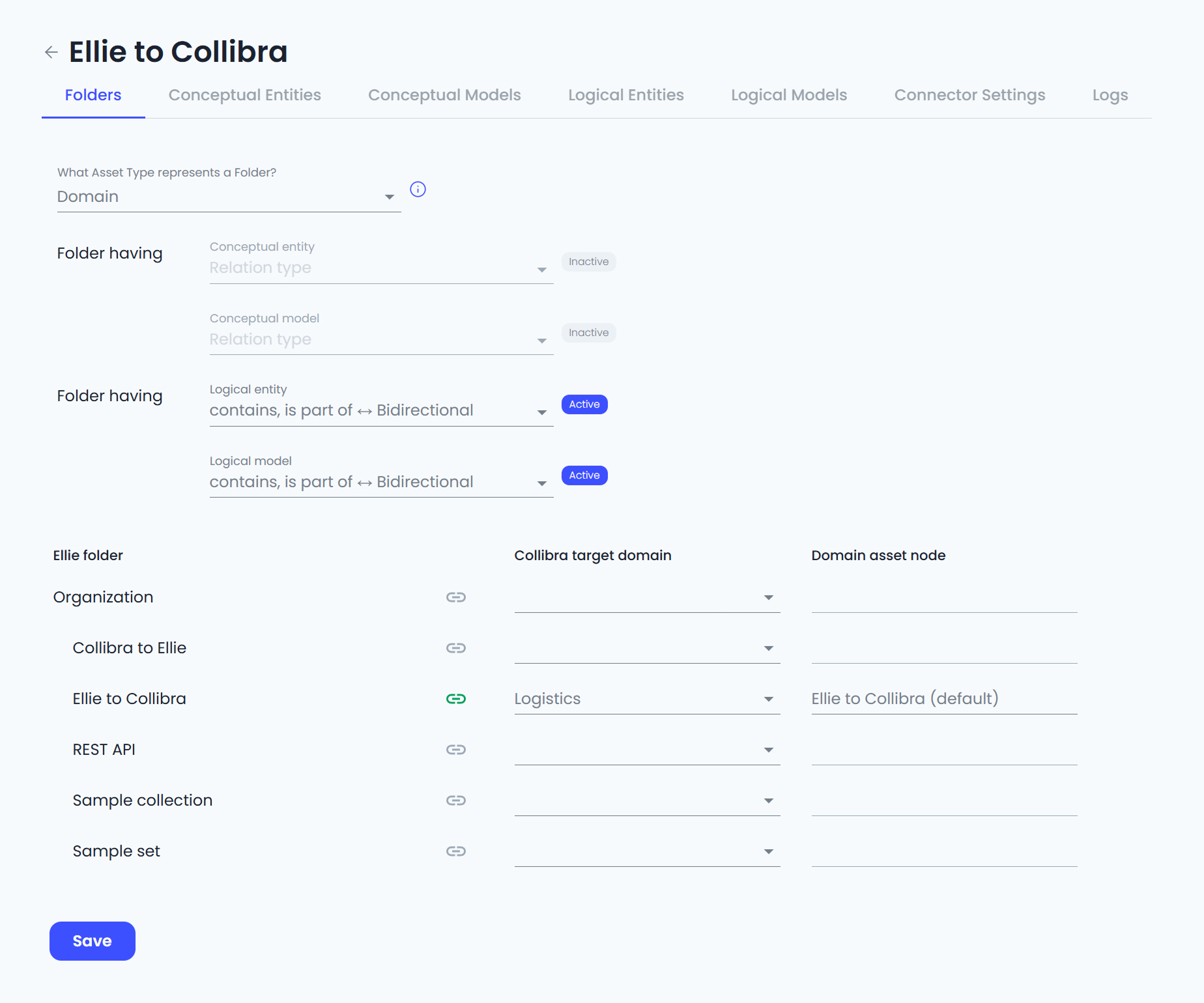
Collibra defines relationship types with a strict source and target. The connector now handles both orientations automatically, so whether a relationship type was modeled as entity → attribute or attribute → entity in Collibra, the correct relationships is resolved at sync time. You pick the relationship type that makes sense and Ellie takes care of the rest.
Ready to connect your Ellie workspace to Collibra? Check out the Ellie–Collibra Integration Guide for step-by-step setup instructions.




.jpg)